
Your vehicle.
Your driver.
Allocate the work and add it to your route plan.
Own-fleet jobFind a supplier for the site and service, agree the cost, and follow the job through completion evidence and customer paperwork. Keep supplier costs, customer charges and job margin together.
£250 + VAT / month4 office users · Unlimited jobs and suppliers
✓ 14-day assisted trial. No card. No automatic conversion.

A familiar name. A dedicated broker workspace.
From the team behind PaperRoute, Skips and Lite.
Try the full broker and supplier journey below.
Everything around the job.
Connected to your brokerage.
Across the PaperRoute family
A few of the businesses using PaperRoute. From skip hire and shredding to recycling, commercial collections and specialist waste.
 Cross Cut ShreddingConfidential Waste Destruction
 Masters RecyclingWEEE & IT Asset Recycling
 M & J BowersCommercial Waste Collection
 Woodsie’s Waste
 Ludlow Skip Hire
 DJ & SJ Recycling
 D&D Environmental
 HWM Group
 We Recycle Tyres
 Caledonia Waste
…and more waste and recycling teams across the UK.
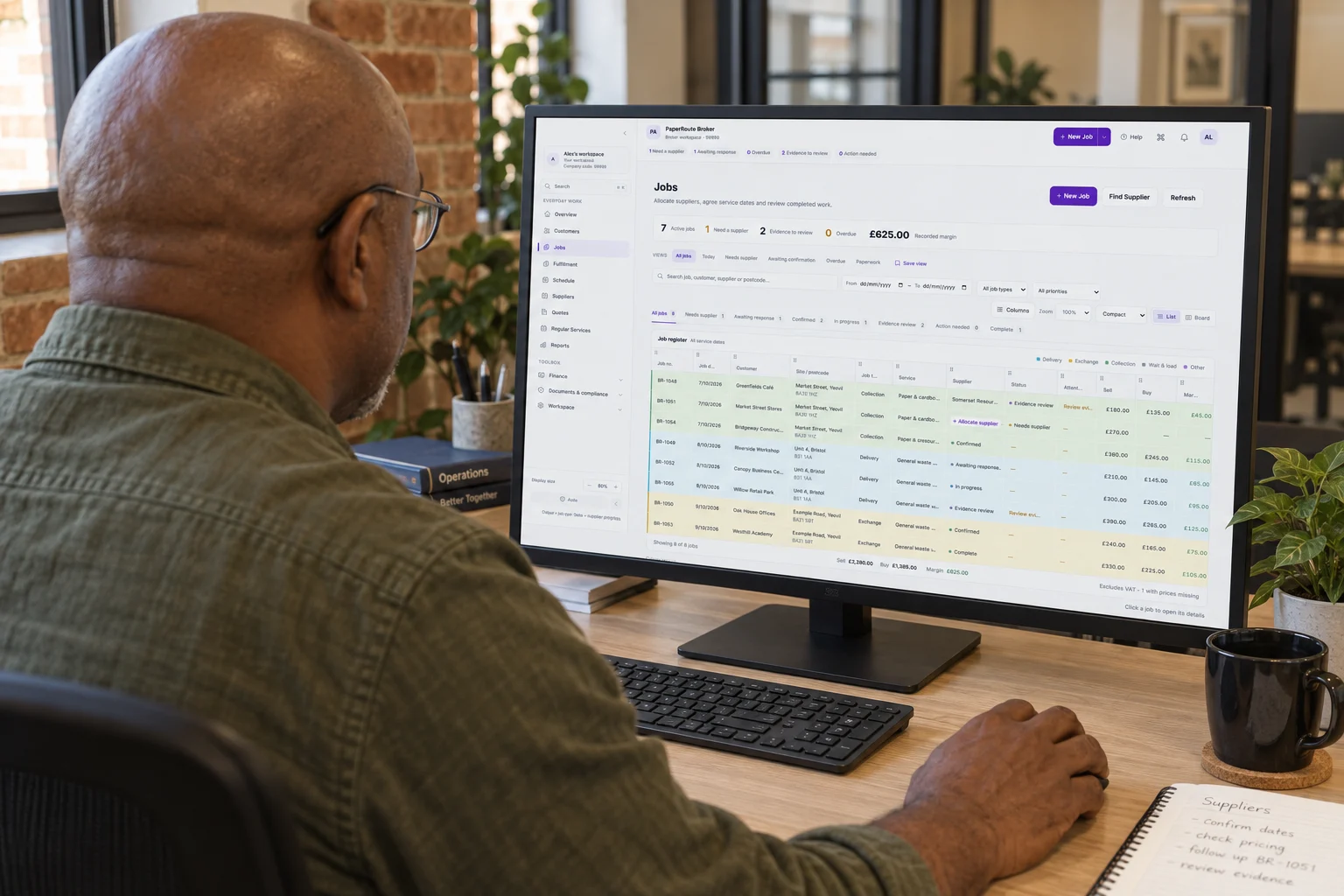
Pick up supplier responses, check the work awaiting review and see the figures beside each job. A clearer record for the next customer call.
Enter a postcode, waste stream and container to compare matching suppliers in your network, their recorded coverage and current reference rates.
Fictional network. Matches use recorded postcode coverage and confirmed service combinations; they don’t confirm availability for a date.
Coverage is only the start. Match the waste, container and activity too.
No rate doesn’t mean no service. Contact the supplier to agree the price.
Check before offering. Approval, documents and the service date still matter.
Keep each supplier’s confirmed waste streams, EWC codes, containers and rate cards together. Suppliers maintain the same records in their portal, so your office can quote and allocate from a clear starting point.
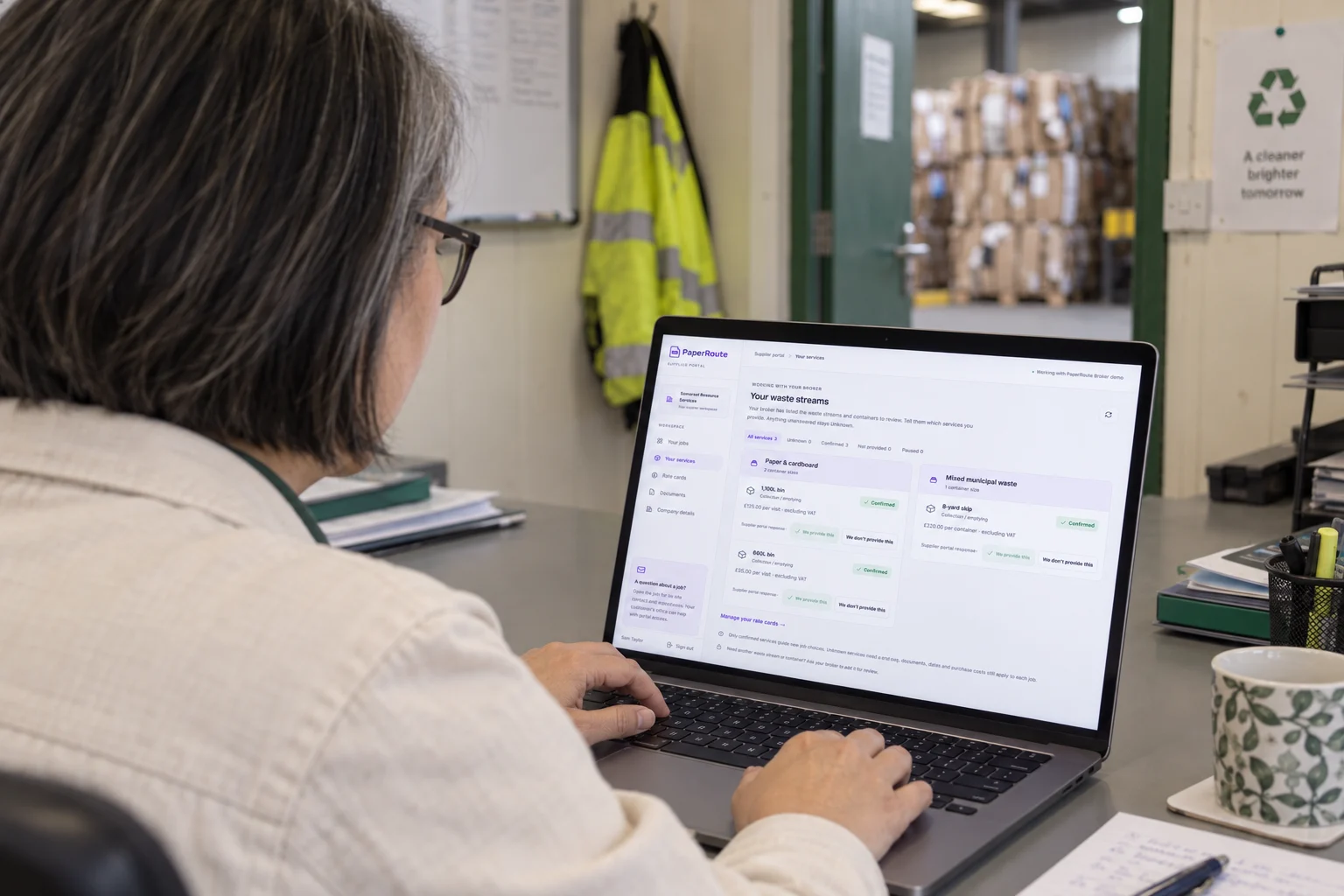
Rates exclude VAT. A rate card is a reference price; agree the purchase total on the job offer.
Your supplier sees the work, site instructions and their fee. Your office sees the customer charge, supplier response and margin. Accept the offer as the supplier, then review the returned evidence as the broker.
Bring a typical enquiry. We’ll show you the supplier and office workflows that fit.
Send a job to a supplier or put it on your own vehicle. Plan your drivers and routes alongside subcontracted work, with customer details, job progress and paperwork kept together.
Allocate the work and add it to your route plan.
Own-fleet jobAgree the fee and follow the work through the portal.
Supplier jobConnected back to your office. Customer records, job progress and paperwork.
Illustrative workflow · fictional job
Request registration evidence, insurance, your supplier agreement and any extra documents. Suppliers provide them in their portal; your team reviews what has arrived and follows up what is missing.
Company and contact details. Coverage and services. Carrier registration, relevant insurance, and your own document requests or supplier agreement.
Registry evidence supports your checks. A submitted or renewed document still needs office review.
Suppliers enter their vehicle registrations in the portal. Review MOT dates and tax status alongside each vehicle, with expired or unavailable results clearly flagged for follow-up.
Interactive example with sample vehicle records. MOT and tax checks are separate from insurance and suitability for a particular waste job.
Suppliers attach their WTN and completion details to the job. Review the evidence, retain the original, and prepare a broker-branded WTN from approved job details for your customer.

The supplier’s portal keeps supporting WTNs, photos and completion details with the job. Your office receives the record for review.
The actual carrier stays identified whichever branding you choose. Original supplier evidence stays attached to the job.
Try the sample upload, then switch to Broker review.
Unanswered offers, missing evidence and documents awaiting review stay visible, so your team can answer customers from the job record.
Explore the broker toolsCompare the supplier’s invoiced cost for each job with its agreed cost. Keep any difference beside the customer charge, so your team can review the effect on gross margin.
£10.00 above the agreed cost — review the difference.
Fictional example · amounts exclude VAT · gross margin excludes overheads. Matching records support office review; they do not create a payment.
Agreed buy price, customer charge and supplier invoice allocation stay with the work.
See the difference rather than finding it while reconstructing the job at month end.
Review supporting records before progressing the job through your accounts workflow.
We’ll cover how your broker process fits around Sage, QuickBooks or Xero in the demo.
One monthly subscription for your office. Four office users, unlimited jobs and unlimited supplier accounts included.
We help configure your account first. Your 14-day trial starts when you accept the terms and activate it.
£250/ month + VAT
Unlimited jobs and suppliers
First 4 office users included · each additional office user £35/month + VAT
Choose your office team size. Jobs and supplier accounts are included.
No card or automatic conversion. Paid service begins only after you choose to continue and sign the agreement.
Yes. Keep the suppliers you already work with in your directory, including their coverage, confirmed waste streams, containers and rates. The postcode finder searches your recorded supplier network.
Supplier accounts are included in your broker plan, with no per-supplier account charge. They use your branded portal to respond to offers, confirm services, maintain rate cards and return completion paperwork.
Customer sell prices, gross margin and private office notes stay in the broker view. The supplier sees their assigned work, instructions and agreed fee.
Your office can record a service confirmation received by phone or email. The confirmed waste-stream, container and activity combination then appears with the supplier’s service records.
Completion evidence goes to your office for review. Request changes if information is missing or incorrect, then review the supplier’s resubmission before approving it.
Yes. Allocate jobs to your own vehicles and drivers, plan your routes and manage supplier jobs in the same workspace. You can use your own fleet, your supplier network or a combination of both.
No. You can run your brokerage entirely through your supplier network. If you also have your own fleet, you can manage those vehicles and drivers alongside supplier jobs.
Request the assisted trial and we’ll help configure your account. Your 14 days start when you accept the trial terms and activate it. No card is required and there is no automatic conversion.
£250 + VAT per month includes four office users, unlimited jobs and unlimited supplier accounts, plus standard onboarding, training and UK support. Each additional office user costs £35 + VAT per month. For example, six office users cost £320 + VAT per month. There are no per-job or per-supplier charges.
Yes. We’ll review your customer and supplier data, open jobs and accounting setup with you, then agree what to bring across during assisted setup.
Choose a focused walkthrough, or ask us to help configure a useful starting point for your brokerage.
UK support · No card · No automatic conversion