
Waste broker software: keeping the job and supplier record together
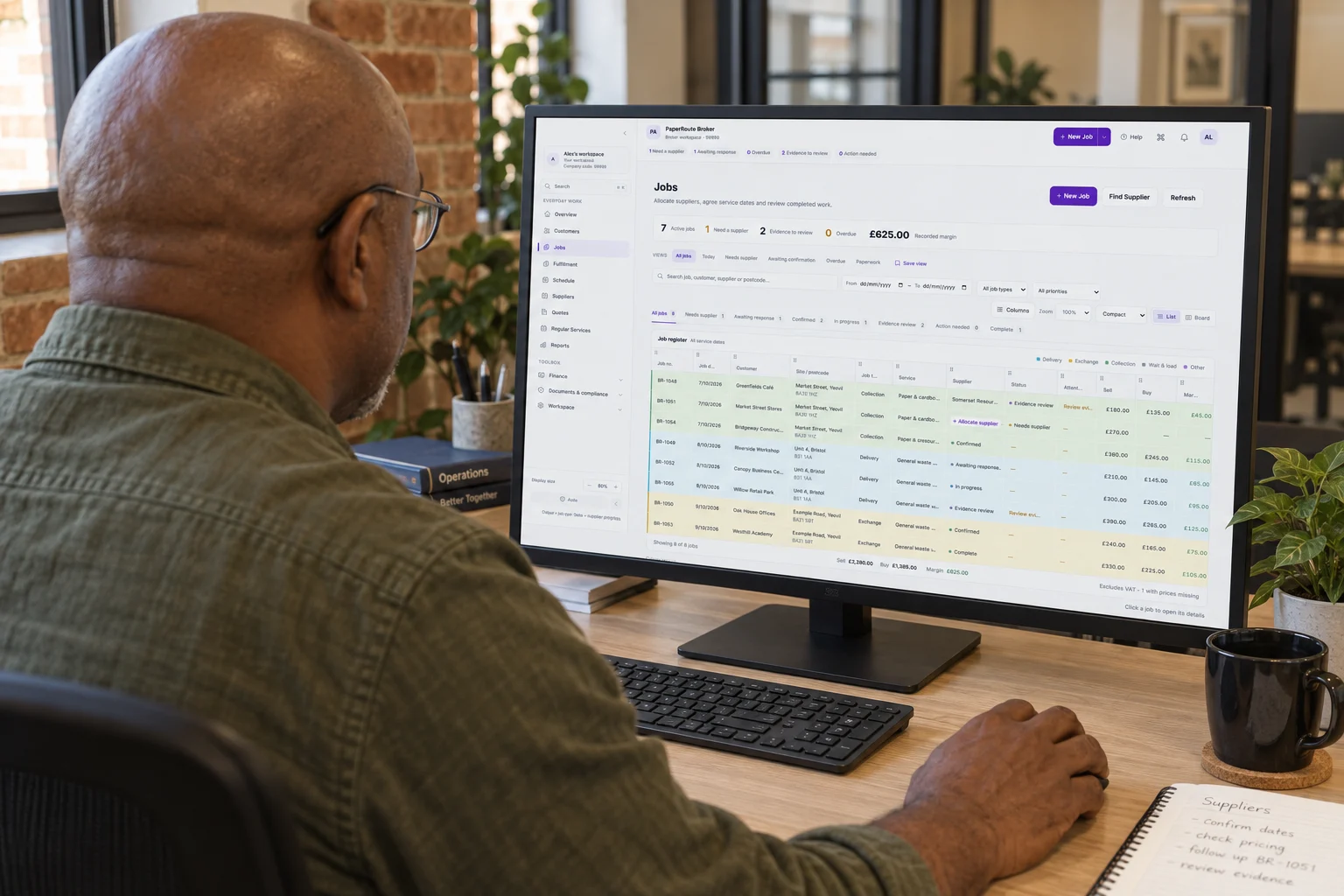
A waste brokerage job connects a customer request with work delivered by a supplier. The office needs to keep the instruction, supplier response, completion record and costs together. Waste broker software should make that sequence easy to follow without relying on someone remembering which email contained the latest update.
Start with your own supplier directory
A useful directory records the services a supplier has confirmed, the areas they cover and the rates you have agreed. Keep those details connected rather than treating a postcode list as proof that a supplier can carry out every kind of work.
PaperRoute Broker’s postcode and service finder searches your existing supplier network. It is a way to review the suppliers you already work with, rather than an open marketplace promising an available contractor.
Keep allocation and the supplier response visible
When a customer requests a job, the supplier needs a clear instruction and a way to respond. The office also needs to distinguish an offer from accepted work. A message being sent is not the same as a supplier agreeing to deliver the service.
PaperRoute Broker supports job allocation, offer responses and a supplier portal. In a demo, follow a job from the initial instruction through the supplier response and ask how your office will see what still needs attention.
Review the completion record
Completion evidence needs to belong to the job it describes. If information is missing or needs clarification, the office should be able to pick up the same record with the supplier rather than creating a separate trail.
The Broker workflow includes completion evidence review and correction requests. Supplier document records and expiry tracking also support office checks. Those tools help organise the review; they do not replace your team’s judgment about whether a record is adequate.
Connect the agreed cost with the invoice
Keep the agreed supplier cost and customer charge beside the job. When the supplier invoice arrives, compare the allocation with the agreed cost and investigate a difference before relying on the job’s margin.
PaperRoute Broker keeps those commercial records together for office review. Gross job margin should be distinguished from overall business profit: overheads and other business costs still matter. Website demonstrations use fictional records and should be treated as examples of the workflow.
Use your own workflow to assess the fit
Bring a typical customer request, a supplier rate card and a completion record to a Broker demo. Walk through the handovers your office actually uses and ask which steps need configuration. That is a more useful assessment than a feature list on its own.
You can book a Broker-branded demo or request an assisted trial through this website. Review the current pricing and discuss your accounting workflow with the team before deciding how the product will fit your operation.